Connect your Portomundi wallet to NxtPort and start paying for the services you need.
1 Pick NxtPort
Log in to Portomundi, click Services in the menu on the left and select NxtPort.
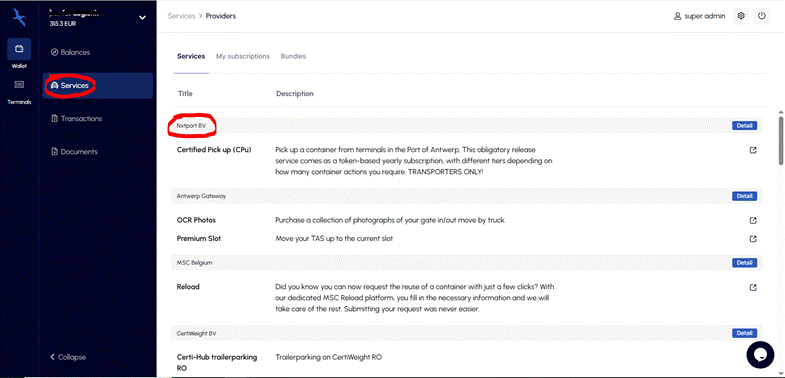
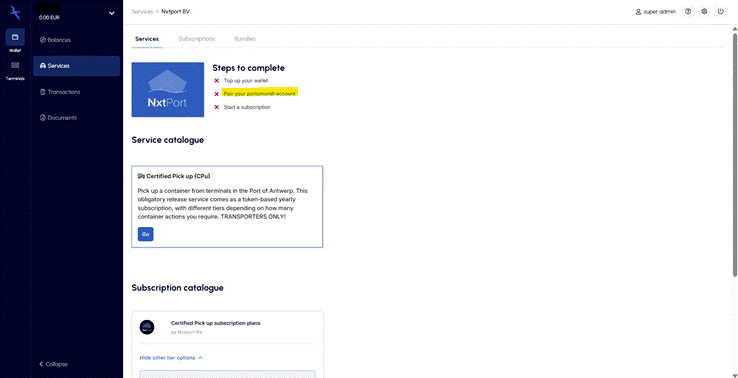
2 Click “Pair your Portomundi account”
Portomundi shows you which steps you still need to complete. You might need to top up your wallet, pair with the service provider, or both. Let’s pair.
3 Land on the NxtPort FAQ page
Portomundi takes you here: certifiedpickup.eu/en/frequently-asked-questions#cinvio
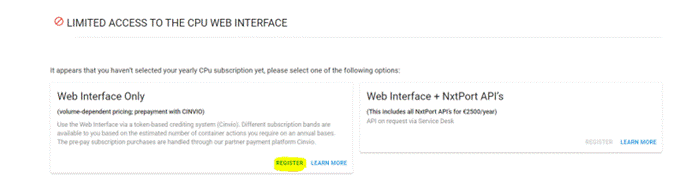
4 Register on NxtPort’s platform
You’re now on the service provider’s platform. Click Register to start the pairing process.
5 Authorise the pairing
You’ve started the pairing process. You’ll be asked to log in to Portomundi and then land on the pairing authorisation window. Click Authorise to pair.
6 You’re paired
Congratulations! You’re now paired with NxtPort and can start requesting and paying for the services you need.
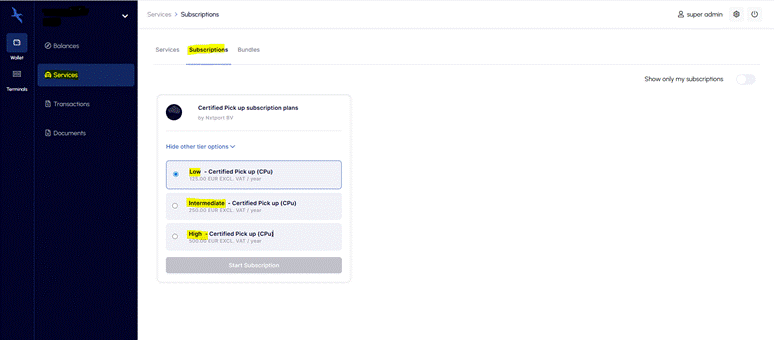
7 Start your subscription
Don’t forget to start a subscription of your choosing.
Was this article helpful?
That’s Great!
Thank you for your feedback
Sorry! We couldn't be helpful
Thank you for your feedback
Feedback sent
We appreciate your effort and will try to fix the article