Load your wallet once. Pay for services whenever you need them.
Your Portomundi wallet is how you pay for services. Just like your everyday shopping, you need money in your wallet before you can buy what you want.
Here’s how to top up:
1 Log in and choose your amount
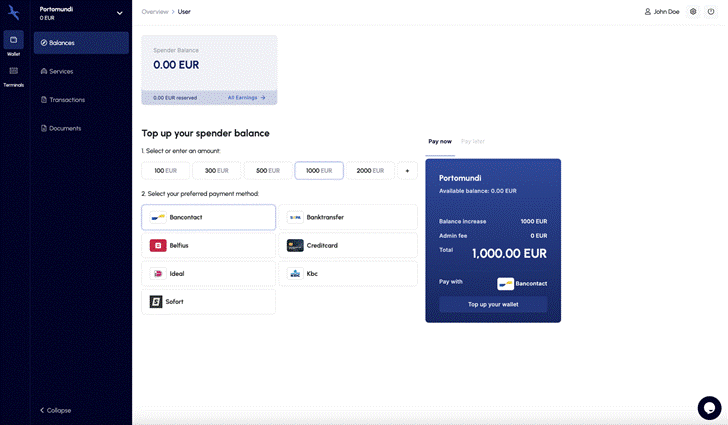
Your dashboard is the first page you see. It offers several preset amounts you can load straight away.
Prefer to set your own amount? Click the plus sign.
2 Choose your payment method
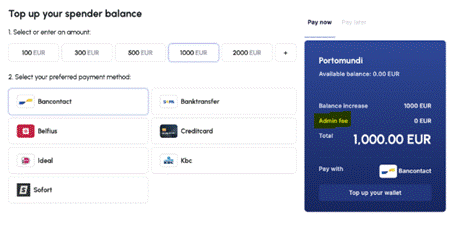
Pick from the available payment methods, then click Top up your balance.
3 Follow the payment screen
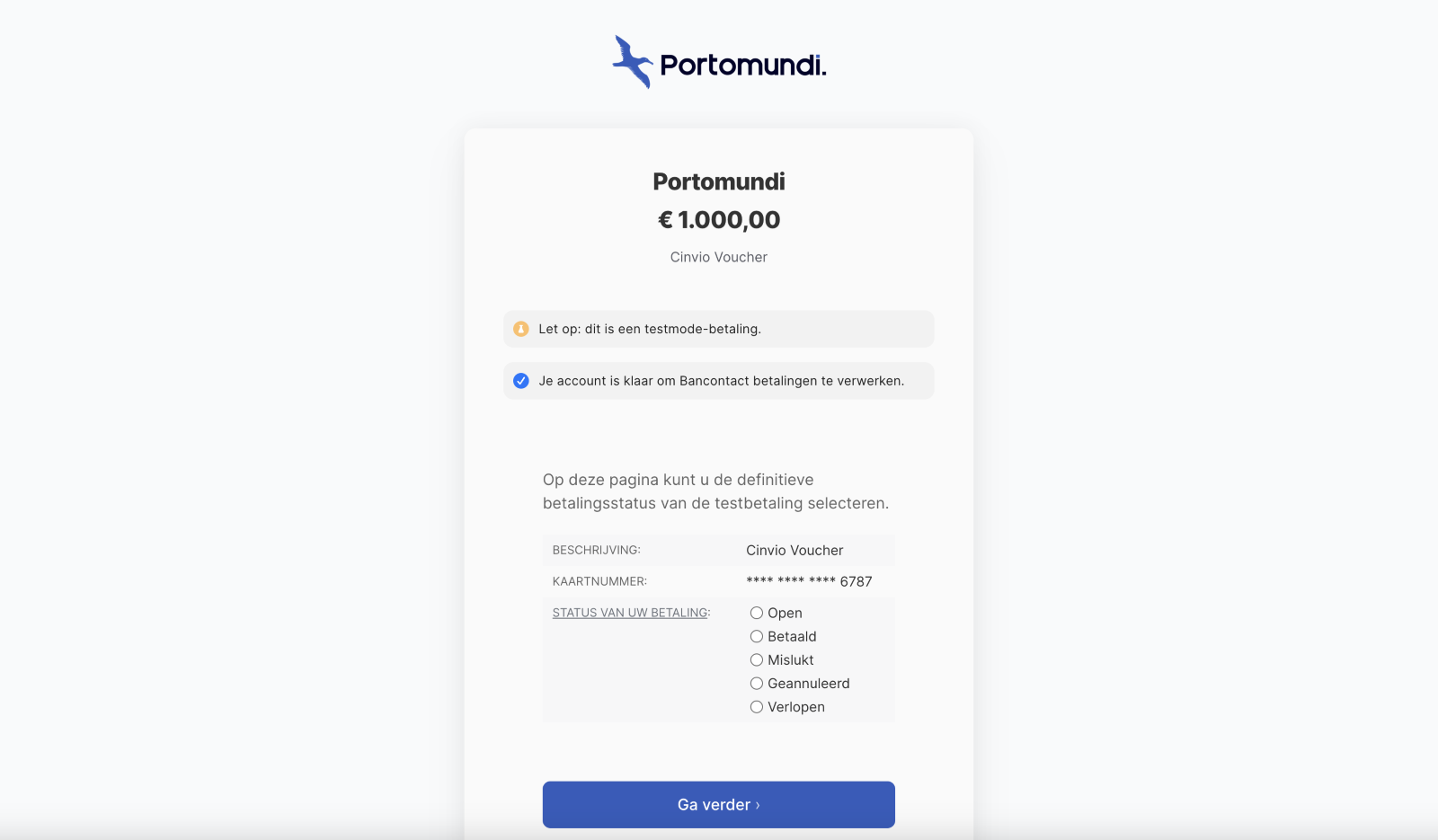
Clicking a payment method takes you to its own screen. Choose Bancontact, for example, and you’ll land here:
4 Confirm your top-up
Received a confirmation message from your payment provider, or a proof of transfer from Portomundi? Then your wallet is topped up.
5 Keep track of it
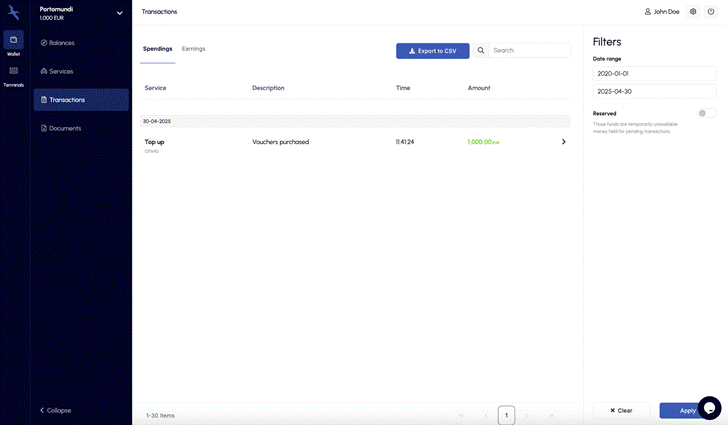
Open Transactions to see all your top-ups and every other transaction in one place.
Was this article helpful?
That’s Great!
Thank you for your feedback
Sorry! We couldn't be helpful
Thank you for your feedback
Feedback sent
We appreciate your effort and will try to fix the article